
Local Reminders
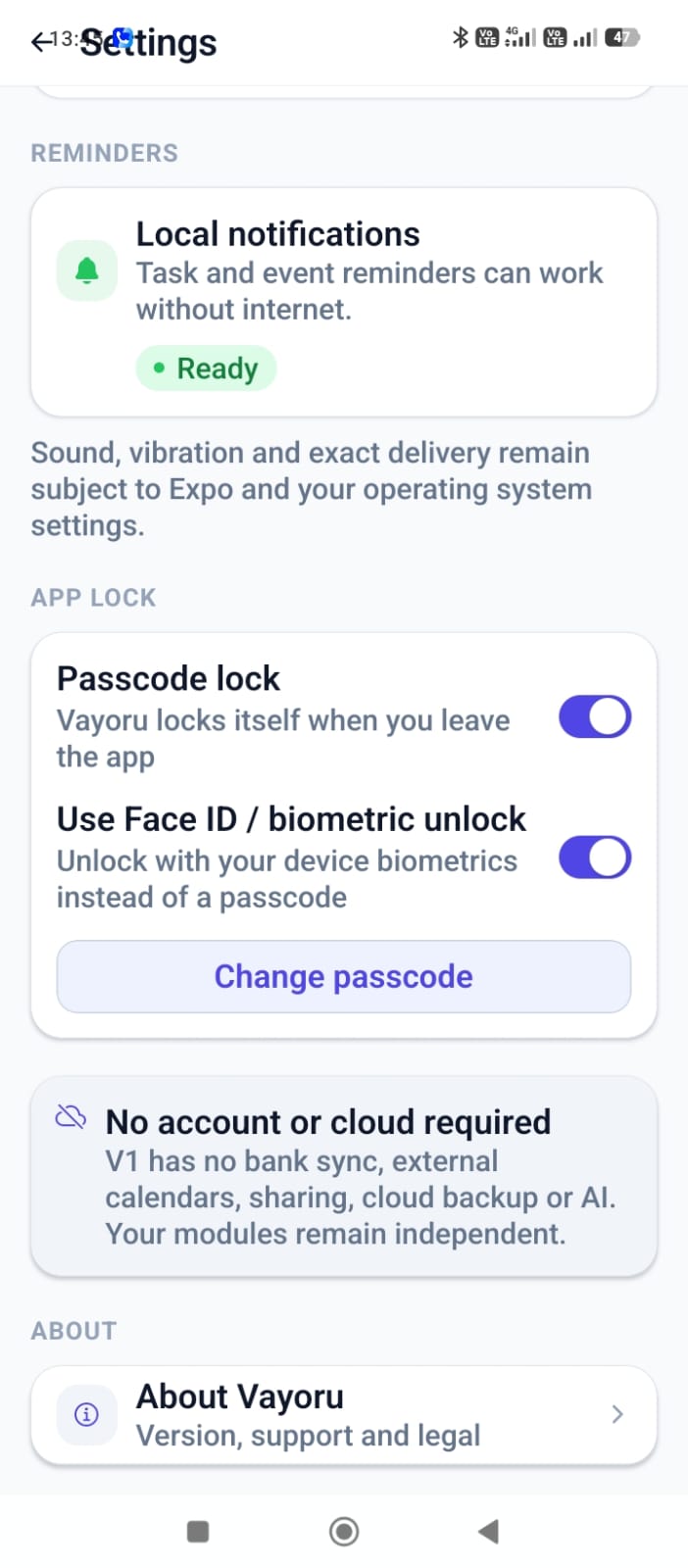
When a task or calendar event has a due time, Vayoru schedules a reminder directly on your device - a local notification, not a push sent from a server.
9:41
Wednesday, September 3
Reminder
"Pick up dry cleaning" is due at 1:00 PM.
From task to notification
Task or event created
You add a task or calendar event with a due date and time.
Reminder scheduled
Vayoru schedules a local reminder on your device for that time.
Local notification
At the scheduled time, your device shows the notification.
You open Vayoru
Tap the notification to jump straight to the task.
What "local" actually means
Vayoru's reminders are scheduled on your device's operating system, not sent from a remote server as a cloud push notification. That means they don't need an active connection at the moment they fire.
It also means they follow your device's own rules: notification permissions, Do Not Disturb, and battery optimization settings can all affect whether - and when - a reminder appears.
Check notification permissions
Make sure notifications are enabled for Vayoru in your device settings.
Watch battery optimization
Aggressive battery-saving modes can delay or block background reminders on some devices.
No account required to fire
A scheduled reminder doesn't depend on being signed in or connected - it lives on your device.
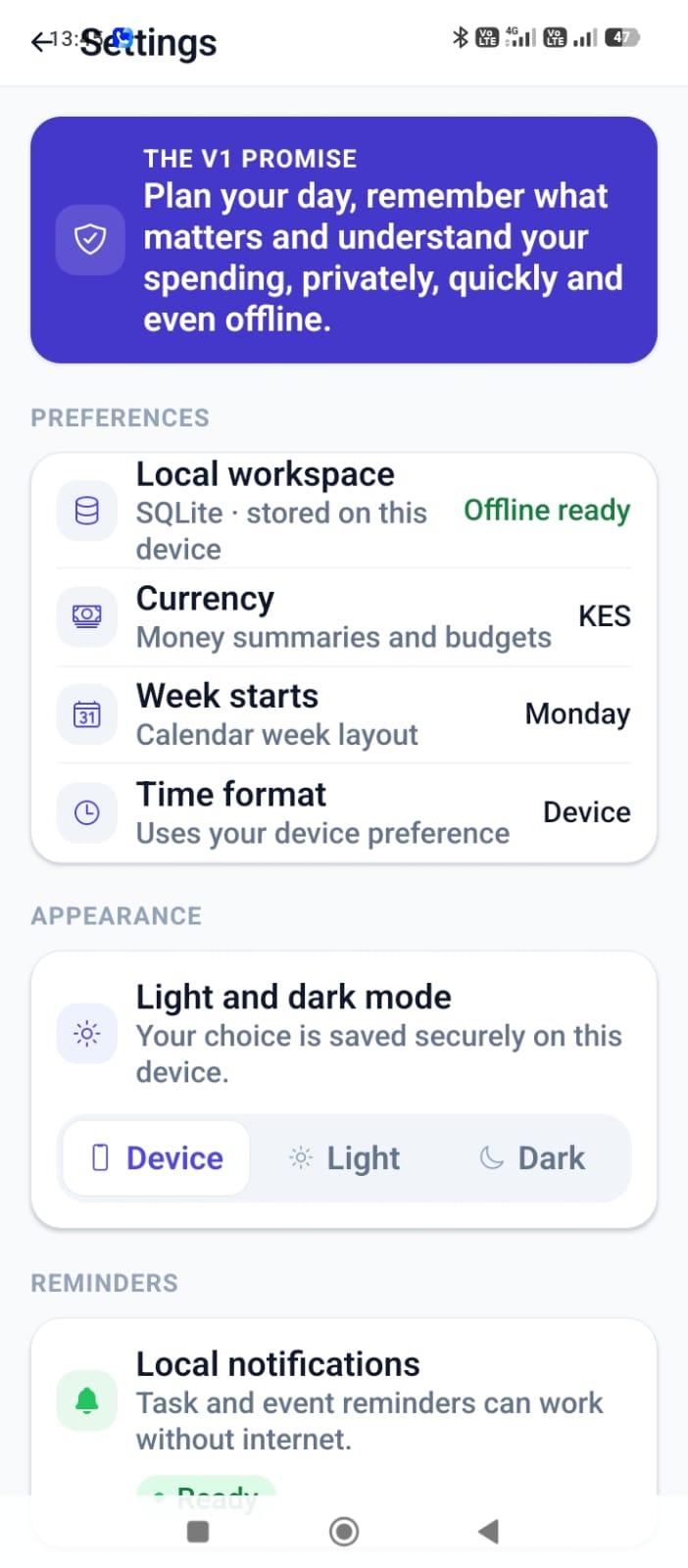
Yes, it's really in the Settings screen
Local Reminders FAQ
Explore the rest of Vayoru
Your life, in perfect flow.
Download Vayoru free and add your first task, expense, or journal entry in under two minutes.